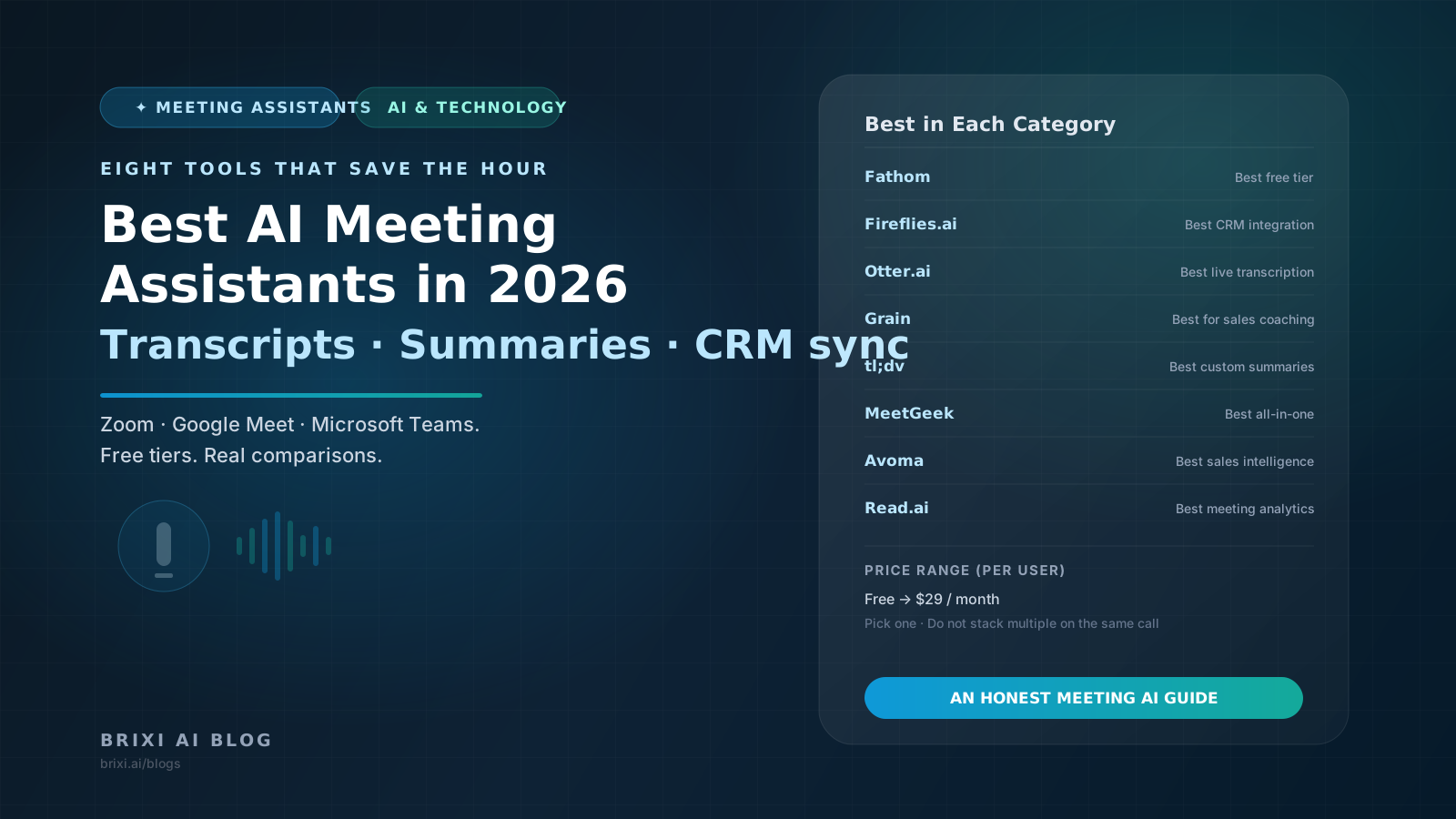
AI meeting assistants went from novelty to default in 2026. The good ones produce transcripts, summaries, action items, and searchable archives that replace hours of manual note-taking each week. Here is an honest comparison of the eight most-used AI meeting tools — across Zoom, Google Meet, and Microsoft Teams.
Two years ago, AI meeting assistants were a curiosity most teams tried once and forgot. In 2026, they are default infrastructure — installed alongside the calendar, auto-joining recurring calls, producing transcripts and summaries that replace ten hours of manual notes a week for a typical knowledge worker.
The space is crowded. Fathom, Fireflies, Otter, Grain, tl;dv, MeetGeek, Avoma, and Read.ai are all genuinely capable in 2026, and the differences that matter are often in pricing structure, integrations, and how the summary arrives. This guide compares the eight most-used AI meeting assistants with an honest look at where each one fits.
🎙️ What to evaluate
For any AI meeting tool, five things matter: transcription accuracy, summary quality, integration with your existing stack (CRM, Slack, calendar), pricing structure, and what happens to your data. The feature list is less useful than the daily experience, which we try to reflect below.
1. Fathom — Best Free AI Meeting Notes
Fathom has become the most-recommended free AI meeting notetaker for SMBs and individual professionals. The free tier offers unlimited recording, transcription, and AI summaries across Zoom, Google Meet, and Microsoft Teams — something none of the major alternatives match. Paid tiers ($24/user/month and up) add team features, CRM integrations, and advanced summary customization.
- Unlimited free recording, transcription, and AI summaries for individuals.
- Auto-join calendar meetings on Zoom, Google Meet, and Microsoft Teams.
- Clean summaries, action items, and key moment markers shared via email.
- Salesforce and HubSpot integration on paid tiers.
- Chrome extension and native mobile apps.
2. Fireflies.ai — Best CRM-Integrated Meeting Assistant
Fireflies.ai is the strongest choice for sales and customer success teams that need meeting notes flowing into a CRM automatically. Native integrations with HubSpot, Salesforce, Pipedrive, and Zoho Salesforce write call summaries, action items, and key quotes to the corresponding deal or contact record. Pricing starts free; Pro is $18/user/month.
- Deep CRM integration with structured field writeback, not just notes.
- Topic tracker for compliance and playbook adherence.
- AskFred AI assistant to query across meeting history.
- Strong support for multiple languages in transcription and summaries.
- Team-level analytics on talk time, monologue duration, and question ratio.
3. Otter.ai — Best for Live Transcription and Education
Otter.ai is the longest-established player in the category and remains a leader in live transcription quality. OtterPilot auto-joins meetings, and the web app produces a clean, editable transcript with speaker labels in real time. Otter is particularly strong for education, accessibility, and journalism use cases. Free tier available; Business plans start around $20/user/month.
- High-quality live transcription with speaker attribution.
- Real-time captioning for live meetings.
- Strong search across meeting history with keyword highlighting.
- Chrome extension that works inside Gmail and Google Calendar.
- OtterPilot auto-joins calendar meetings on Zoom, Google Meet, and Teams.
4. Grain — Best for Sales Call Coaching
Grain is the AI meeting assistant closest in spirit to Gong — focused on sales coaching, playbook enforcement, and deal intelligence, but at SMB pricing. Coaching features surface talk-time ratios, filler words, and objection handling moments. Clip-and-share functionality makes it easy to send specific moments to a manager for review. Pricing starts around $19/user/month.
- Coaching-focused interface built for sales managers.
- Clip-and-share workflow for call review and onboarding.
- Deal view that groups all calls and emails with a prospect.
- HubSpot and Salesforce integration for automatic call logging.
- Lightweight analytics on rep performance across calls.
5. tl;dv — Best for GPT-Powered Custom Summaries
tl;dv leaned hard into AI customization in 2025-2026. Teams can configure custom GPTs that produce summaries in specific formats — sales call summaries, customer success notes, engineering retro recaps — and route them to the right destinations. Free tier is generous; paid plans start around $20/user/month.
- Custom AI templates for different meeting types.
- Per-team playbook enforcement via AI summary rules.
- Strong Slack and Notion integrations for post-meeting distribution.
- Multi-language transcription and summaries in 30+ languages.
- Generous free tier that covers most individual use cases.
6. MeetGeek — Best All-in-One Meeting Workflow
MeetGeek bundles transcription, summary, action item extraction, and team analytics into a single product at SMB pricing. It is the most feature-dense all-in-one in the category, which is both the appeal and the tradeoff — the depth is wide but no single feature is market-leading. Pricing from $19/user/month.
- Unified workflow across transcription, summary, and team analytics.
- Pre-built templates for common meeting types (standups, 1:1s, sales calls).
- Knowledge-base mode that aggregates insights across all team meetings.
- 50+ integrations across CRM, project management, and collaboration tools.
7. Avoma — Best Enterprise-Grade SMB Option
Avoma has been quietly building enterprise-grade meeting intelligence at mid-market pricing. It combines conversation intelligence (similar to Gong), meeting recording, agenda management, and note-taking into one product. For sales and customer success teams that need more than just notes, Avoma is often the right middle ground between Grain and Gong.
- Conversation intelligence with topic detection and competitor mentions.
- Agenda and collaborative note templates before, during, and after meetings.
- Deal health scoring for sales pipelines.
- Strong Salesforce and HubSpot bi-directional sync.
- Mid-market pricing: Plus starts at $29/user/month.
8. Read.ai — Best Meeting Analytics and Wellness Metrics
Read.ai takes a different approach to meeting intelligence — instead of focusing on transcripts alone, it surfaces engagement, sentiment, and effectiveness metrics. It is useful for team leaders who want to understand whether meetings are working, not just what was said. Free tier available; paid plans from $19/user/month.
- Engagement scores for each participant in the meeting.
- Sentiment and reaction tracking across the call.
- Meeting effectiveness metrics for managers and leaders.
- Calendar-level analytics on meeting load and overlaps.
- AI-generated recommendations for meeting hygiene.
Head-to-Head Summary
- Best free tier: Fathom — unlimited individual use.
- Best CRM integration: Fireflies.ai — structured writeback to HubSpot, Salesforce, Pipedrive.
- Best live transcription: Otter.ai — real-time captions and long-standing accuracy.
- Best for sales coaching: Grain — clip-and-share and deal view workflows.
- Best custom summaries: tl;dv — GPT templates configurable per meeting type.
- Best all-in-one: MeetGeek — widest feature set at SMB pricing.
- Best mid-market sales intelligence: Avoma — conversation intelligence at SMB price point.
- Best meeting analytics: Read.ai — engagement, sentiment, and effectiveness metrics.
How to Choose
If you want the simplest free starting point
Fathom free tier. Unlimited recording and summaries with no credit card for individuals. Upgrade only when you need team features or CRM integrations.
If your meetings drive a sales pipeline
Fireflies for structured CRM writeback, Grain for coaching and clip-sharing, or Avoma if you want conversation intelligence. Pick one — stacking multiple meeting bots on the same calls creates noise for participants.
If accessibility or live captioning matters
Otter.ai remains the most reliable for live transcription — useful for accessibility, classroom settings, and journalism.
If you have team-specific summary formats
tl;dv. The custom AI templates are best-in-class for teams that want different summary styles for different meeting types.
Etiquette Note for 2026
AI meeting bots are now standard, but participants are increasingly aware — and in some regions, consent for recording is legally required. Configure your tool to disclose that it is recording at the start of each call, and set policies about who gets access to the transcripts. This is no longer optional infrastructure to ignore.
More SMB and AI tool guides
Brixi publishes honest comparisons across CRM, AI tools, automation, and go-to-market workflows for modern small businesses. Explore more on the blog.
See More GuidesFrequently Asked Questions
Fathom offers the best free tier — unlimited recording, transcription, and AI summaries for individuals across Zoom, Google Meet, and Microsoft Teams. tl;dv and Read.ai also have generous free tiers. Most individuals start with Fathom and upgrade only when team features or CRM integrations become necessary.
Fathom is better for individuals and small teams that want strong free notes. Fireflies is better for sales and customer success teams that need structured CRM writeback to HubSpot, Salesforce, or Pipedrive. If you do not need CRM integration, Fathom is simpler and often enough.
All eight tools on this list support Zoom, Google Meet, and Microsoft Teams. The main differences show up in native integration depth (some use bots that auto-join, others integrate at the platform level) and in secondary features like live captioning or recording storage.
Individuals can use Fathom free. Small teams typically land in the $18-$30 per user per month range (Fireflies, Otter, tl;dv, MeetGeek, Read.ai). Sales-focused teams that need coaching features spend $19-$29 (Grain, Avoma). Stacking multiple tools on the same calls is usually a bad idea — pick one and configure it well.
Recording consent laws vary. In two-party consent jurisdictions (parts of the US, EU, India), all participants must be notified that the meeting is being recorded. Most AI meeting tools disclose this automatically at the start of the call. If you operate in a regulated industry, check your compliance requirements before deploying.
For standard meetings — sales calls, customer check-ins, 1:1s, standups — yes, and most teams have stopped assigning human note-takers as a result. For highly sensitive meetings (legal, executive compensation, HR investigations), human note-taking is often still preferred because of privacy and context requirements.